

In the tutorial we’re going to see how to cover an object with a Jaguar-style fur texture with Adobe Photoshop. In this example, we will see a classic computer folder icon, but this technique can be used with any other object, such as a CD cover, a mouse, or even a computer. A very well illustrated lesson that can be easily followed by users who have a good knowledge of the program.
Related Posts
14
May2013
Create a Baby Stroller in Illustrator – Tutorial
In the tutorial that we are going to see you will learn how to create a classic vector baby stroller. In this lesson you will learn every detail: from the…
04
May2017

Make Cartoon Renders with Cel Shader in Cinema 4D
IIn this interesting video tutorial, we will see a lesson that shows how to create different materials to give our 3d characters a cartoon look to render using Cel Shader…
26
Jan2014

Create a Love Heart Card for Valentine’s Day in Illustrator
San Valentino, una festa per persone innamorate che si scambiano biglietti di auguri a vicenda. Una buona occasione per mostrare i propri sentimenti con un regalo insolito. Il tutorial che…
10
Oct2013
Create Tab Bar Icon Set in Adobe Illustrator
Nel tutorial che vedremo verranno realizzate alcune icone in stile sistema Operativo IOs 7 con Adobe Illustrator. Un esercizio che può fornire diversi spunti nella realizzazione di icone ed elementi…
16
Jan2016
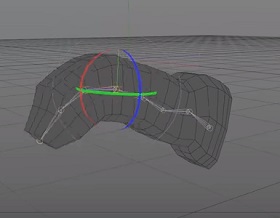
Intro to Joints and Skinning in Maxon Cinema 4D
This is a video tutorial that is a simple introduction to creating joints (bones) in Maxon Cinema 4D and then binding it to our 3D model and creating animations. An…
02
Sep2013
Make a Reusable Icon Style using Adobe Illustrator
Nel veloce tutorial che andremo a vedere imparerete come creare un simpatico set di icone in stile arrotondato. Si utilizzeranno forme di base e le opzioni di elaborazione tracciati per…
